
Internal Memory Card Readers

SSK High-Speed SD Memory Card Reader Scrs026

iphone Reader Camera SD/TF Card Suitable For Canon Fuji SLR CCD Mobile Phone IPhone Android All-in-One
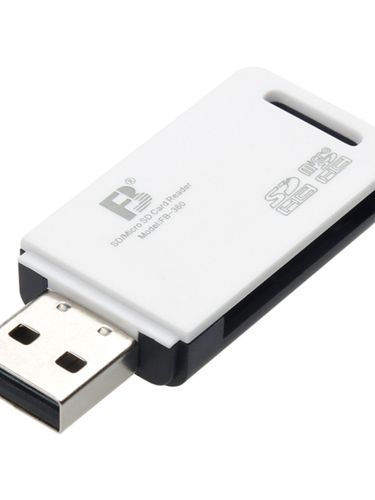
USB Reader Micro SD TF Two-in-One Recorder Camera Computer U Disk Memory Card

CAR Mini USB Reader Micro SD/TF Mobile Phone Memory Card Embedded Small Applicable Computer Android
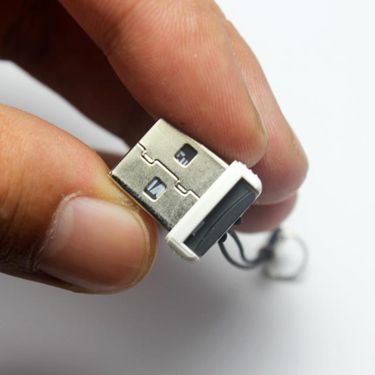
USB2.0 Embedded Mini High-Speed Card Reader With Light

Mobile Phone Opening SIM Restart-Free Android Iphone Shutdown-Free Er Conversion Reader External Slot Card Board

TF To USB Mini Sound Box Ultra-Thin High-Speed MicroSD Card Reader Support 512G Simple Package With Light

Metal Mini High-Speed USB2.0 Sound Equipment For Cellphone Car SD/TF Card Reader MP3 Converter

Multifunctional Extender Type-C Docking Station External 3. 0usb-C USB Flash Drive Digital 3.5mm Headset

Android External Card Reader High-Speed USB Interface

CfE Giant Whale Reader Suitable For Canon Sony Cfexpress Flash Memory Card Type-C
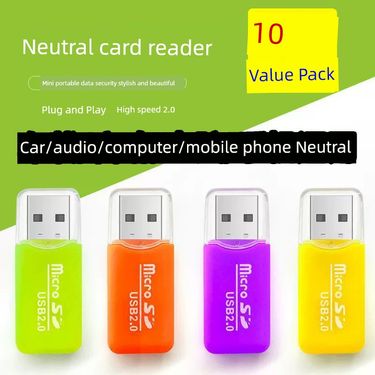
Reader Multi-in-One 10,000-Energy Computer Car Mini Multi-Function TF High-Speed Converter Mobile Phone Memory Card

Red Copper Aluminum Alloy Metal CFe-B Kit Type B Card DIY Nikon Z6/Z7/Z9 Canon R5/3

SM Card Reader Suitable For Olympus Fuji CCD Camera Iphone Android Typec Mobile Phone Computer

USB Multi-Functional Reader SD All-in-One XD Universal MD Camera CF Memory Card MMC Neutral High-Speed Ms Duo
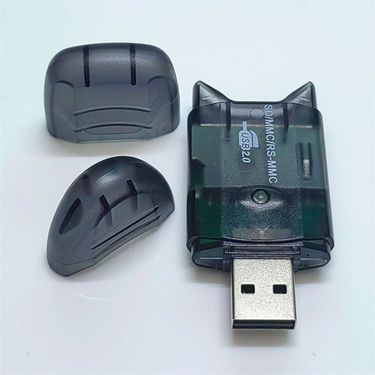
Applicable To Mingji Canon Kodak Samsung Nikon CCD Camera Memory SD Card Reader

Mobile Phone Reader SD Memory Card TF Conversion Typec Computer OTG Adapter U Disk For Iphone 15 Huawei

Trusty Silver Memory Card Reader for Quick and Secure Data Transfer

Premium Memory Card Reader Silver Design for Fast and Reliable Data Transfer

Metal Memory Card Reader for Protected Data Transfer works for Mac & Windows
Internal Memory Card Readers Built for Everyday Data Transfer
If you work with files every day—photos, videos, documents, or system backups—you know how often memory cards come into play. Cameras, drones, phones, and other devices all rely on them.
The internal memory card readers will make your desktop tidy. They offer a cleaner, faster, and more reliable way to handle data transfers without adding clutter to your desk or bag. You can buy more computer components in Voghion.
Why Built-In Card Readers Matter for Modern Computers
External adapters work, but they’re easy to lose and not always convenient. An internal card reader becomes part of your system, ready whenever you need it. No searching through drawers, no extra cables taking up ports. You may need cable organizer to help you organize the cables.
For users who frequently move files between devices, this built-in access feels natural. Instead of plugging and unplugging accessories, you simply insert your card and get to work.
Saving Time When Handling Large Files and Media Cards
If you deal with high-resolution photos or long video clips, transfer speed matters. Internal readers are often connected directly to the motherboard, which helps deliver stable performance when moving large files.
Photographers using SD cards will appreciate the smoother workflow compared to relying on an external sd card reader for pc that might bottleneck speeds. The same goes for users handling smaller formats, where a dedicated micro sd card reader inside the system can make quick work of frequent transfers.
While you wait for the file to transfer, why not put on your bone conduction headphones and quietly enjoy the music? When your files open faster and copy times shrink, your whole workflow feels lighter.
Who Benefits Most: Creators, Professionals, and Home Users
Editors, designers, and photographers often rotate multiple cards a day. Internal readers help keep that process uninterrupted, especially when working under deadlines.
Professionals outside creative fields benefit too. Offices that handle secure data or identification systems may rely on a smart card reader integrated into workstations for daily tasks.
Meanwhile, a card reader for business environments reduces wear on USB ports and keeps setups more organized. You may need some office electronics like bluetooth printer or calculators.
Even home users notice the convenience when backing up family photos, transferring school projects, or managing files from different devices.
Things to Check Before Installing Inside Your Computer Case
Before choosing an internal reader, compatibility is key. Check which card formats you use most often and make sure the reader supports them. Some users still rely on older formats like CompactFlash, making a compact flash memory card reader a smart consideration.
Also pay attention to connection standards. Readers that support modern interfaces, such as those comparable to a usb 3.0 memory card reader, can handle larger files more efficiently.
Frequently Asked Questions About Performance and Safety
Many people wonder whether internal readers are safe for sensitive data. When properly installed and used, they’re as secure as any other internal component. Just remember to safely eject cards before removal to protect your files.
Another common question is whether internal readers replace portable options. For desktop users, they often do. While a portable card reader is handy on the go, having one built into your system offers everyday convenience that external tools can’t match.
 4.4 out of 5 based on 9,249 reviews